Updated 2/6/2026
Education User Manual/System Introduction
System Introduction
HybriU AI-driven Education Solution transforms traditional classrooms into AI-powered hybrid classes, based on the comprehensive software and hardware of the HybriU AI-driven Education Solution. Through leveraging the modern technology of artificial intelligence (AI), it creates a dynamic, interactive learning environment that benefits both students and educators.
Hardware Configuration
| No. | Name | Main Function |
| 1 | HybriU UniBox | The HybriU UniBox is the "brain" of the HybriU AI-driven Education Solution, performing tasks such as broadcasting, recording, multi-camera control, and other streaming operations. |
| 2 | Display Screen | The screen quantity and type (2D/3D) can be customized as needed, and old screens may be reused. |
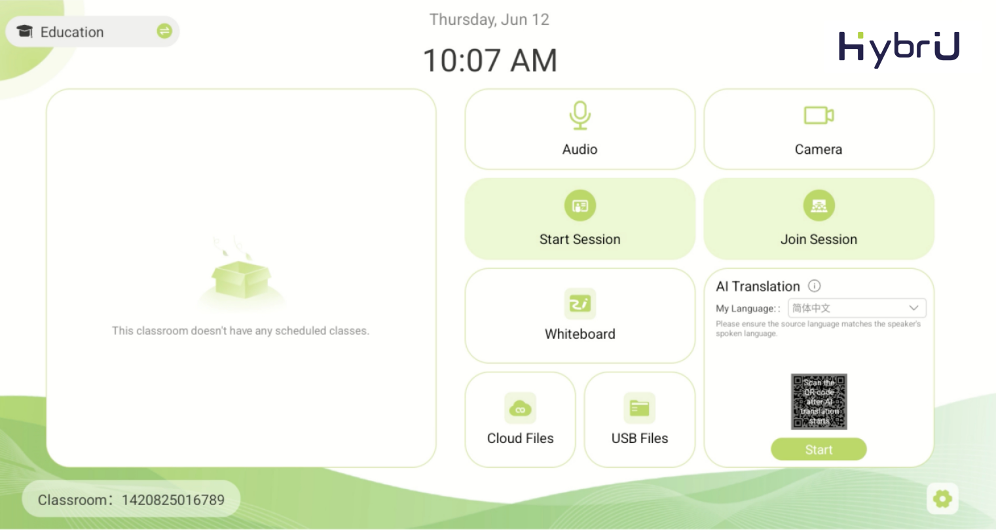
| 3 | Control Panel | The "Control Center" of the HybriU AI-driven Education Solution, which can be used to remotely start or end a session; as a portable, interactive whiteboard for writing or sketching; and as a shortcut for managing the operations or settings of the HybriU AI Host. |
| 4 | Tracking Camera | Intelligent, AI-Powered tracking cameras; quantity can be customized according to the size of the conference room. |
| 5 | Remote Control App (Mobile Phone) | Installing the HybriU LIVE app on your phone and logging in with your employee account will grant additional features, such as being able to directly scan the code of a session to access its controls; quickly upload personal or shared cloud files during the session; and manage various presentation functions such as translations or whiteboard use. |
HybriU AI-driven Education Solution Brief View