Updated 2/6/2026
Education User Manual/Library Management
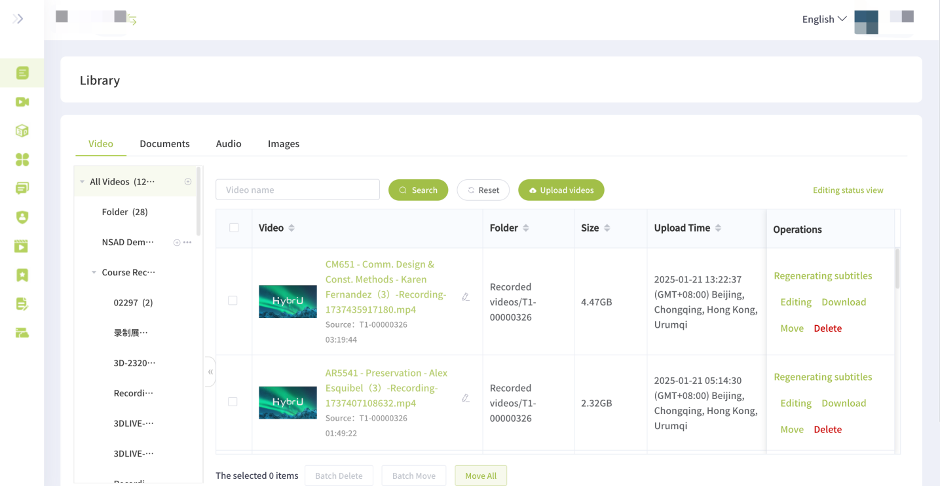
Here, you can view playback videos recorded during sessions, as well as manage the company’s resources, including images, video, audio, and other shared files. In the sessions, you will be able to directly upload and access these documents from the company’s resource center.
1. Batch upload: Images, videos, audio, and other types of files can be quickly uploaded in batches, with a maximum of 10 files uploaded at a time. Lengthy video uploads can be paused and resumed as needed.
2. Online editing: Videos can be edited online with our built-in editor, which features intelligent, AI-powered tools such as the elimination of background noise and repetitive phrases, automatic key point clipping, or the addition of opening and ending credits.
3. File classification: Images, videos, audio, and other documents are automatically categorized according to their file type into different folders. Files can be tagged and freely moved between folders.
4. Cloud storage capacity: When a company purchases a package, they will be given a certain amount of cloud storage to start with. If this capacity is insufficient for your uses, you can always purchase additional storage.