Updated 2/6/2026
Conference User Manual/System Introduction
System Introduction
HybriU Conference is a cross-platform solution for enterprises that integrates AI technology with user-centric digital tools. The following features help redefine the conference room into an inspiring place of growth, problem-solving, and brainstorming:
1. Fully record discussions in the conference room; save high-quality local recordings to ensure data security
How can you preserve the valuable ideas, discussions, and progress made within a meeting room? Use the HybriU Conference to easily capture entire meetings in 1080P quality.
1) Local recording; all recorded meetings are confidential and secure, as there is no need to worry about potential data leakages.
2) Camera footage, digital whiteboards, and shared screens will all be captured seamlessly, preventing any missing details or information.
3) Clearly record in 1080P high-definition picture quality.
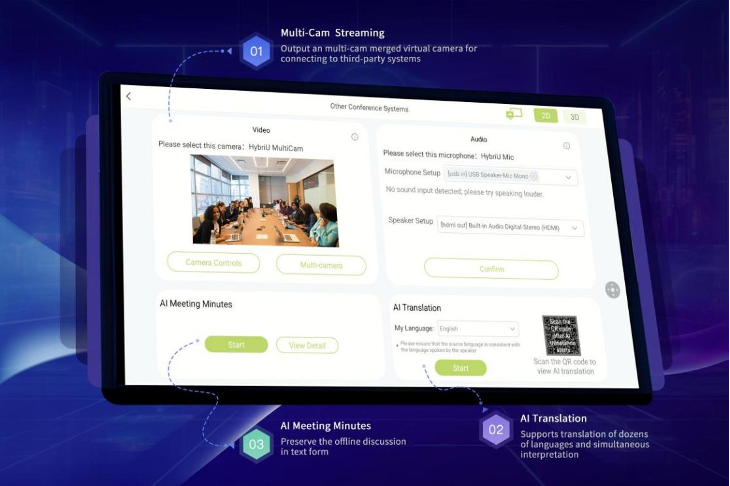
4) Built-in AI supports real-time annotation and translation into 70+ languages.
2. Multi-camera support for other conference systems
In the case that you do not use the HybriU Conference directly for your meetings, we also provide the option of connecting to other conference systems. Using multi-camera support, we are able to display these conference rooms in all directions.
3. Integration with other conferencing platforms.
HybriU Conference integrates with other mainstream conferencing software, for convenient use either at home or on the go. You can simply use one set of equipment to start all other conferences; information from other conferencing software is automatically integrated into the HybriU Conference to facilitate the centralized management of meeting data.
Hardware Configuration
| No. | Name | Main Function |
| 1 | HybriU AI UniBox | The HybriU AI UniBox is the "brain" of the HybriU Conference, performing tasks such as broadcasting, recording, multi-camera control, and other streaming operations. |
| 2 | Presentation Screen | The screen quantity and type (2D/3D) can be customized as needed, and old screens may be reused. |
| 3 | Control Tablet | The "Control Center" of the HybriU Conference, which can be used to remotely start or end a meeting; as a portable, interactive whiteboard for writing or sketching; and as a shortcut for managing the operations or settings of the HybriU AI UniBox. |
| 4 | Tracking Camera | Intelligent, AI-Powered tracking cameras; quantity can be customized according to the size of the conference room. |
| 5 | HybriU Multi-Camera Extender | HybriU Multi-Camera Extender combines multiple camera and microphone outputs from the UniBox for easy usage in other conferencing systems. |
| 6 | Remote Control App (Mobile Phone) | Installing the HybriU LIVE app on your phone and logging in with your employee account will grant additional features, such as being able to directly scan the code of a meeting to access its controls; quickly upload personal or shared cloud files during the meeting; and manage various presentation functions such as translations or whiteboard use. |
Overview
HybriU Conference Overview
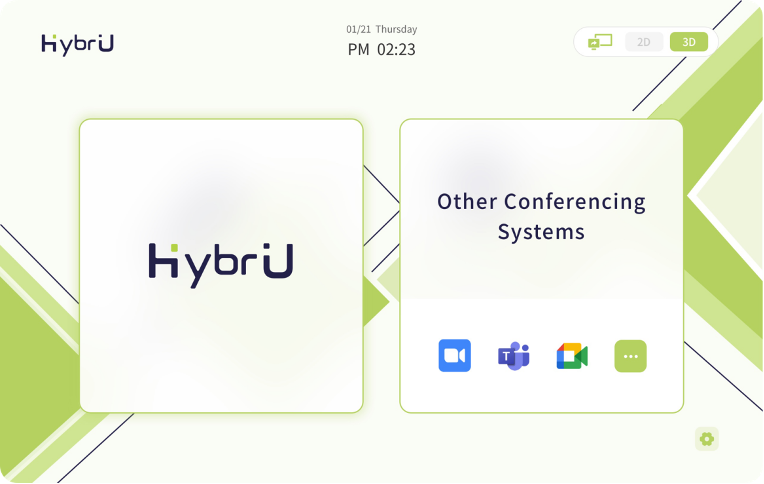
Other Conference Systems Overview