Updated 2/6/2026
Conference User Manual/Sessions Management
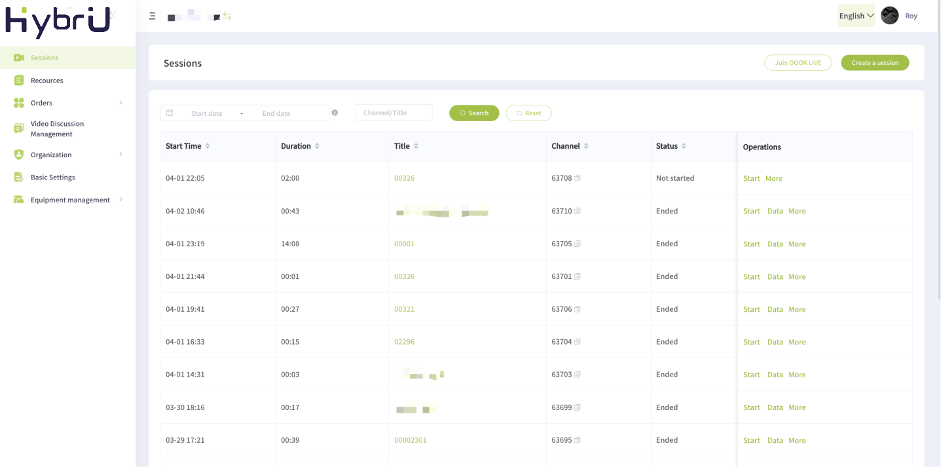
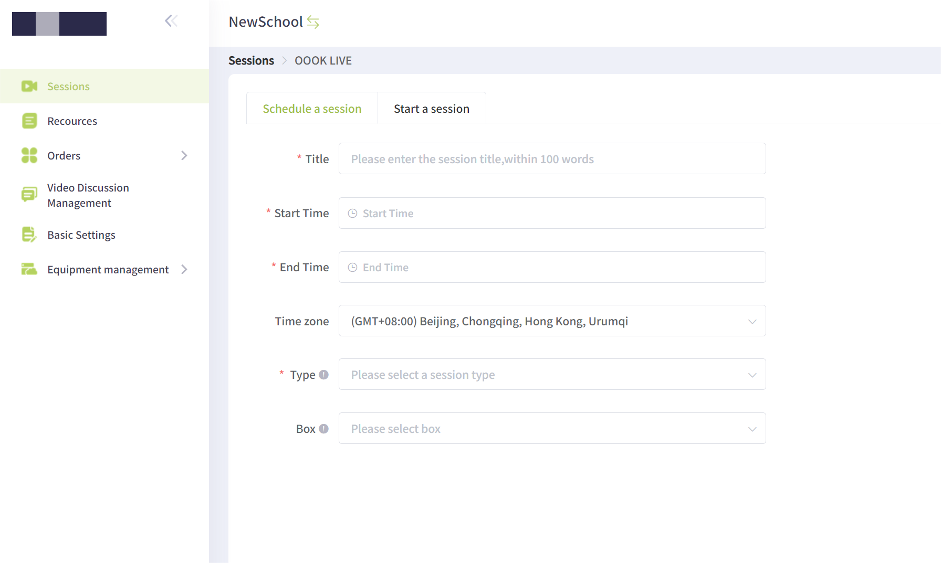
Here, you can view a list of all live courses listed under the organization, as well as schedule new courses, manage playback videos, and access live broadcast data.
1. Scheduled live broadcasts: You can create and schedule regular live sessions in batches to correspond to existing classes.
2. Live broadcast control: If you enter a live session as an assistant, you will be granted permissions that allow you to manage participant interactions, control the presentation layout, and more.
3. Live broadcast data: You can view data about each live session, such as the number of participants, total number of visits, etc.
4. Playback settings: You can watch the playback video recorded during the live broadcast and set viewing permissions for other users. You will be able to save, share, and access the playback video online with a link.
5. Share the live course: Copy a link to the live course to share with participants. Participants will be able to join and watch the live broadcast online through the link.